
Registering Your Account
Before using PiCapes, you need to link your Minecraft account to PiCapes.
Join the PiCapes Discord server.
Open the
⚡・machinechannel.Run the following command:
/register <username>Replace <username> with your Minecraft username.
- Wait for the bot to confirm your registration.
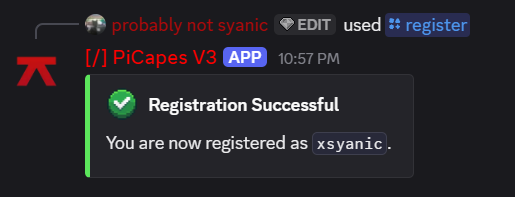
Once registration is confirmed, your account is ready to use with PiCapes.
⚠ Important Note
Your PiCapes account is linked to the Discord server and leaving the Discord server automatically deletes your account, and you'll need to register again. Tiers and renewals will be removed as well, and PiCapes will not be responsible for any resulting loss.
We require Discord membership to help prevent spam and abuse from users registering multiple accounts to claim IGNs.
🔔 Don't want notifications? Mute the server instead.
Stay in the server to keep your account and tiers active.